Table of Contents
In this article, we will see how to tag a commit in GitHub. If you are using a version control system to manage your project codes and files then you probably know the importance of tagging a specific commit in git based version control system such as GitHub. Although tags are used for various purposes, they are most commonly used to mark specific commits for deployment, whether the deployment is performed manually or through a CI/CD pipeline. Using tags makes it easier for developers to manage release deployments.
But many times it has been observed that developers who started using GitHub for the first time struggles to tag their commit, probably because it does not work the same way as other git based software does. So I thought to put together all steps required to follow through GUI method which most of the developers and users would be comfortable with. But before that lets understand more about tag and commit.
What is Tag
Tag is basically a reference or a pointer to a specific change committed in the branch of a git repository. It provides a mechanism to refer to a release recorded in git history. Tag can be effectively used to deploy different version of project code and files and same can be referred in future in case needed to identify the changes deployed.
What is Commit
A commit is a saved snapshot of a work performed in the branch of a git repository. Any updates, modification or changes done in the git based project source code and files are recorded in the branch of a repo using a unique id called commit ID.

How to tag a commit in GitHub using GUI Method
Also Read: Solved git pull "fatal: unable to auto-detect email address" error
Step 1: Find the commit ID to tag
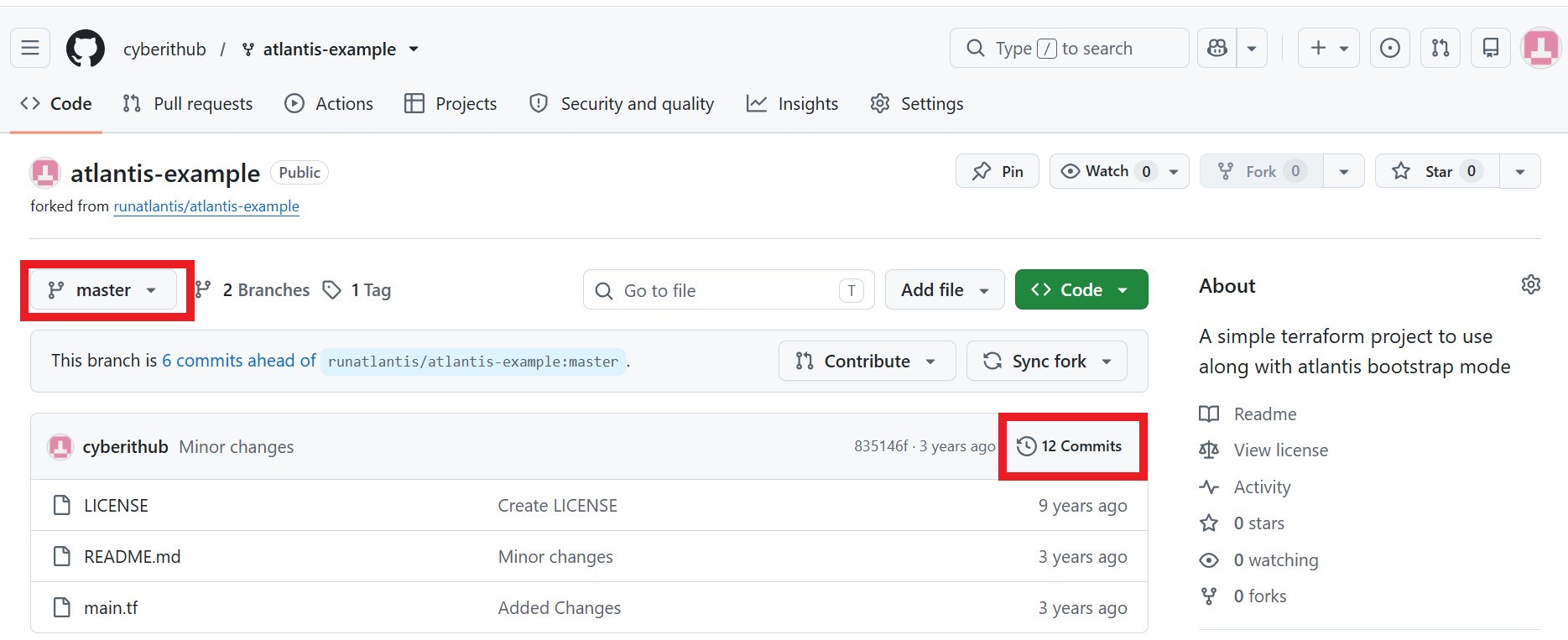
We need to first find the commit ID which we would like to tag. For this we need to first switch to branch(in our case, it is master branch) and then go to list of commits as highlighted below.
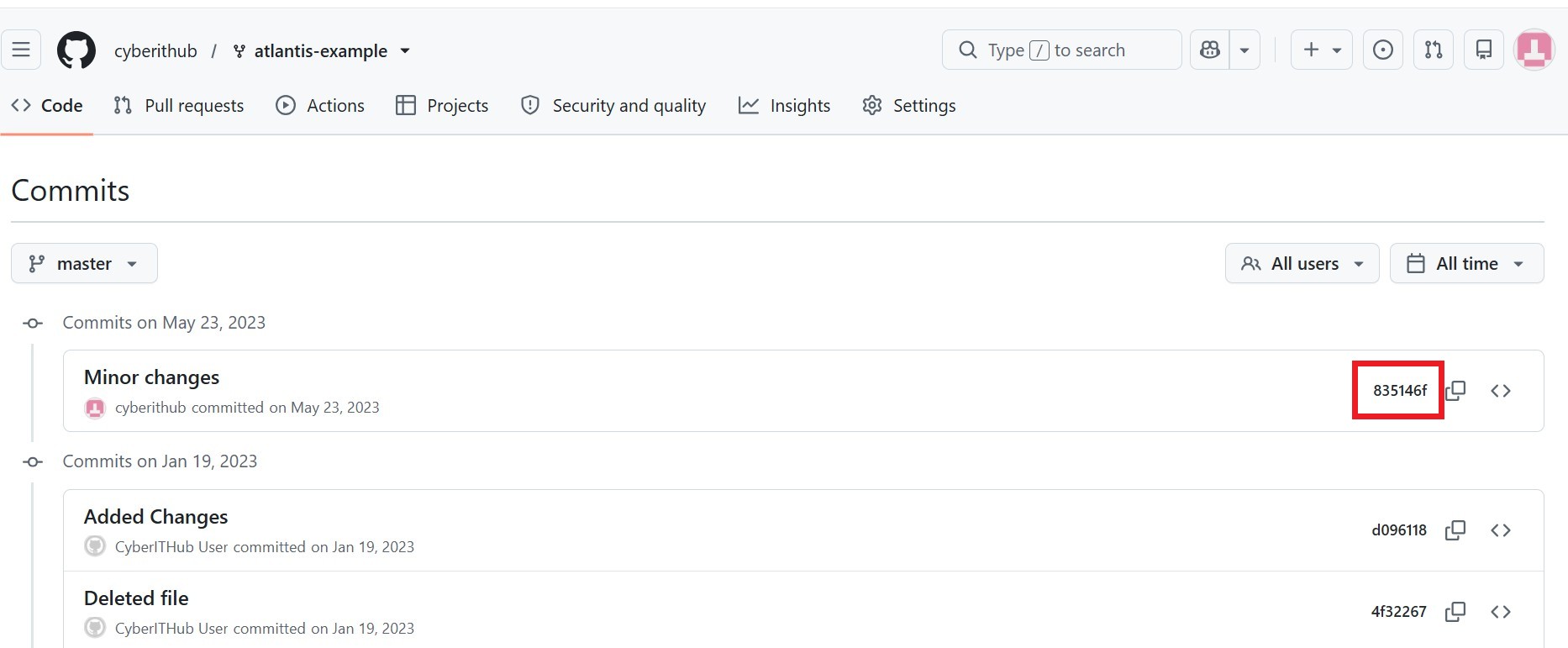
Then find and note the commit id which you need to tag. In our case, we are trying to tag commit ID 835146f as highlighted below.
Step 2: Create a New Release
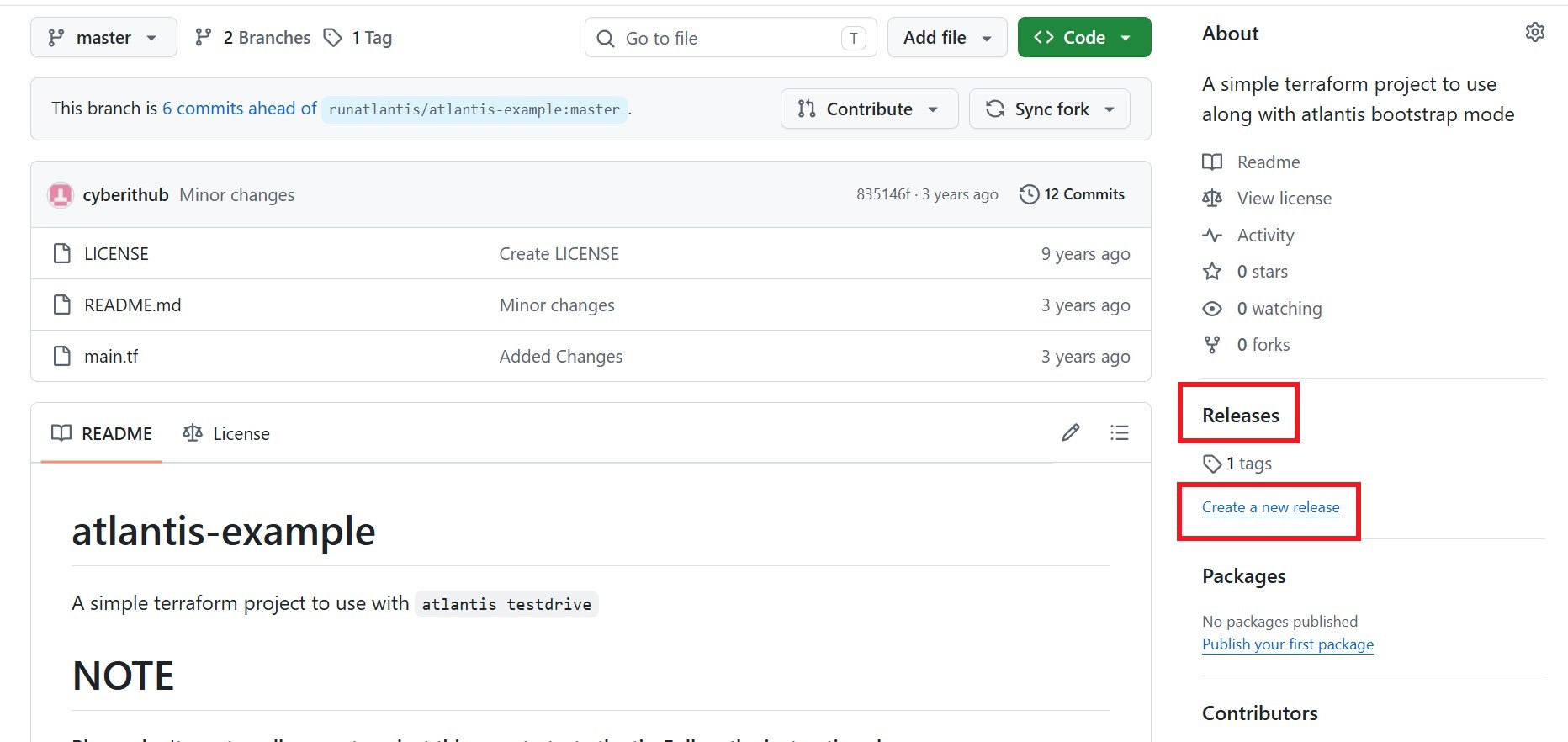
Once you have the commit ID, it is time to tag it. For that, you need to go back to Code section and click on Create a new release as shown below. In case, Create a new release option is not available then click on Releases as shown below.
a) Clicked on "Create a new release" ?
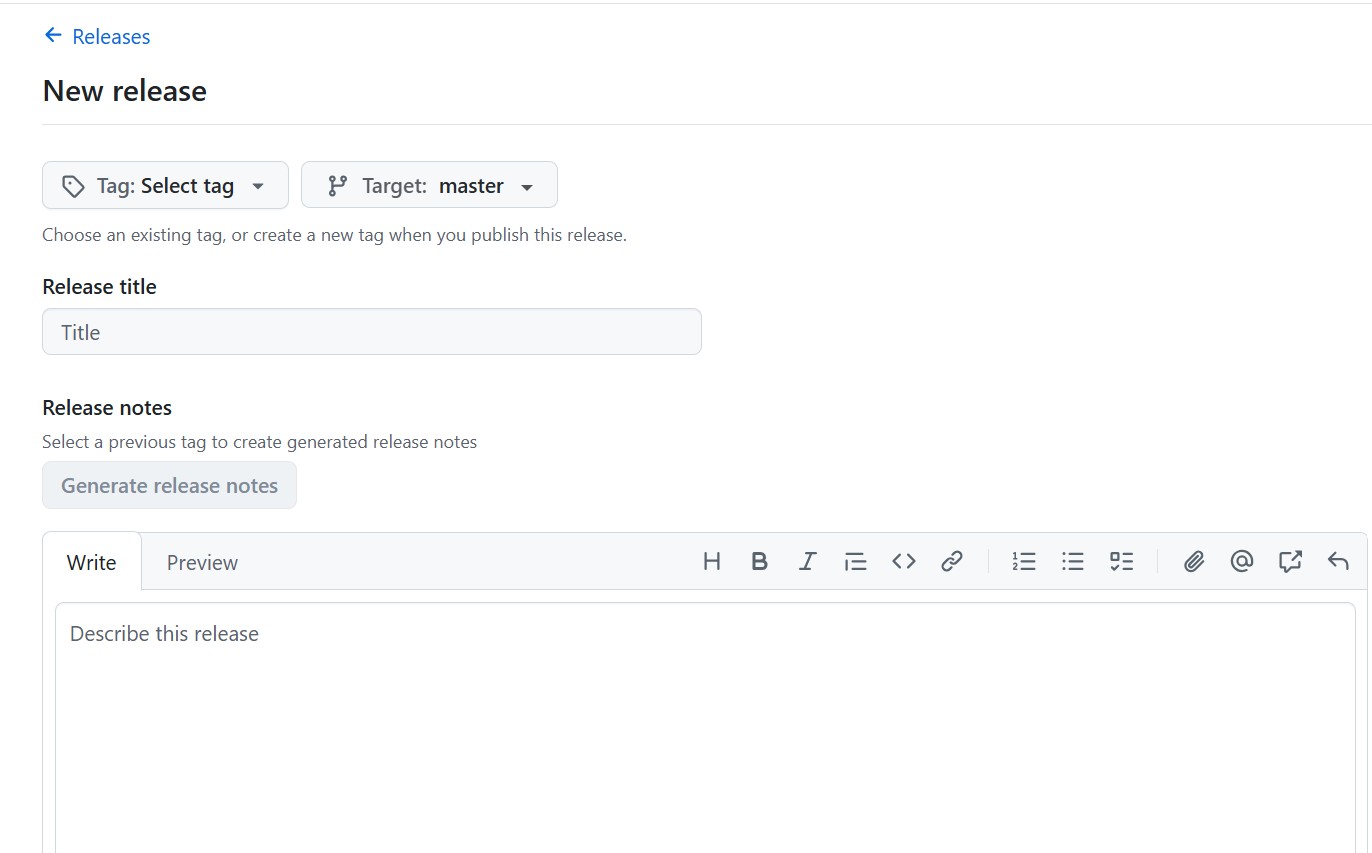
If you clicked on Create a new release then you should see below screen where you can go and create a new release directly by providing all the required details.
b) Clicked on "Releases" ?
If you clicked on Releases then you should see below screen where you have to click on Create a new release.
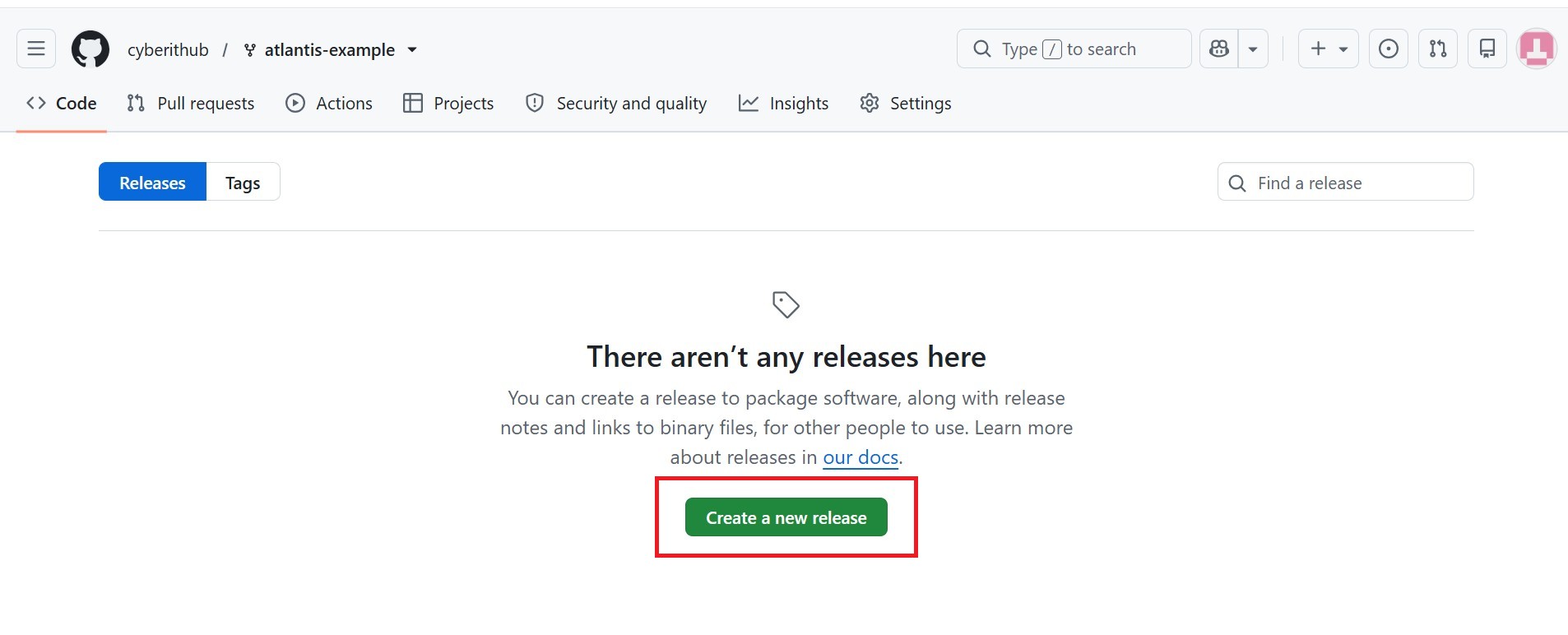
Once you click on Create a new release, you should see same screen as before to fill all the details to create release.
Step 3: Create new tag
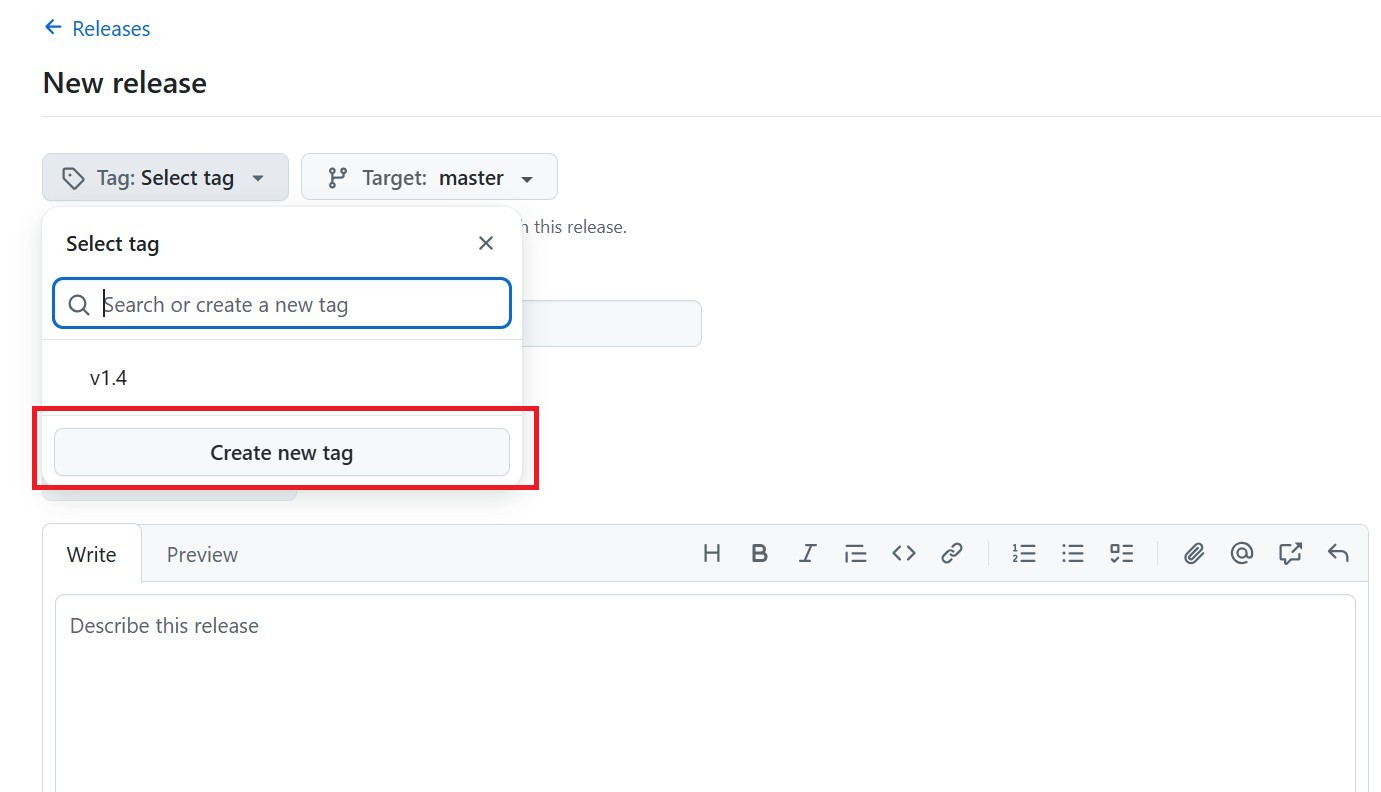
If you had already created tag then you can select from list of tags else you can create a new tag by clicking on Create new tag option as shown below.
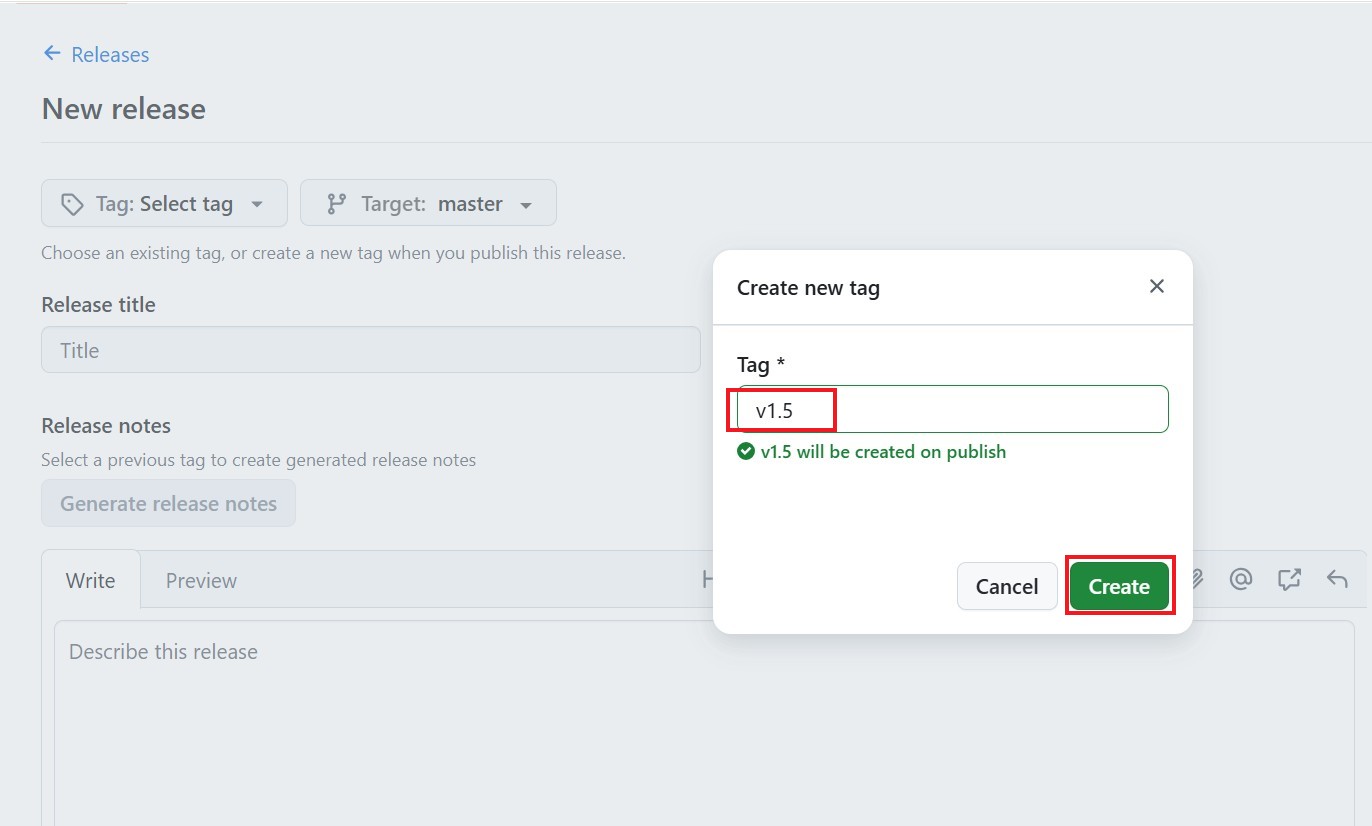
You will be asked to provide the tag details. In my case, I am providing tag as v1.5 and then clicking on Create to finally create this tag.
Step 4: Tag the commit ID
After successful creation of tag, it should show in Tag section as shown below. Post that you need to go to Target and click on Recent Commits. There you have find the commit ID which you would like to tag and then select it as highlighted below.
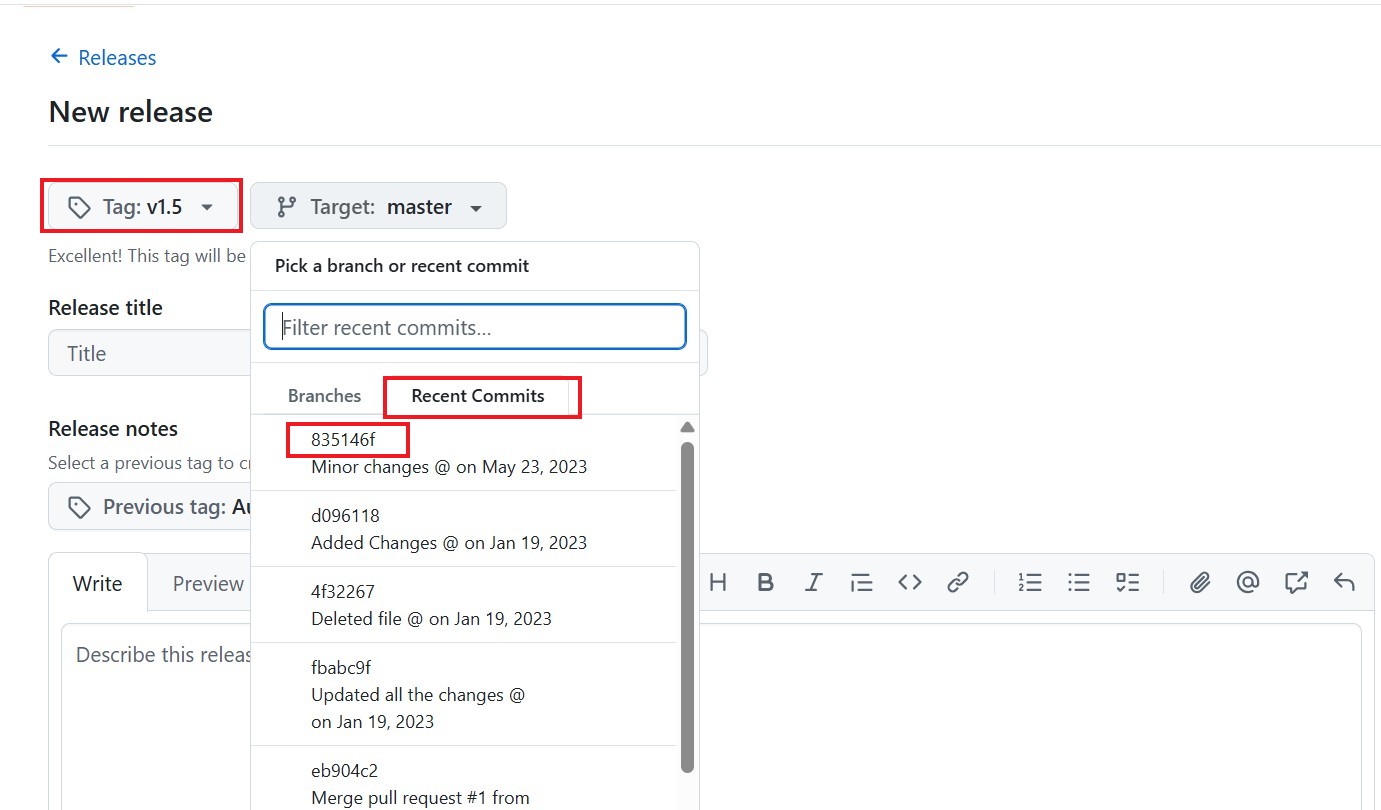
Once selected it should show like below. Then provide the Release title details and provide some information about this release in Write section. In my case, I have mentioned same details of "Creating tag v1.5" in both section as shown below. Remember it is not mandatory to provide Release title and Release notes information. If you would like, you can also skip those details.
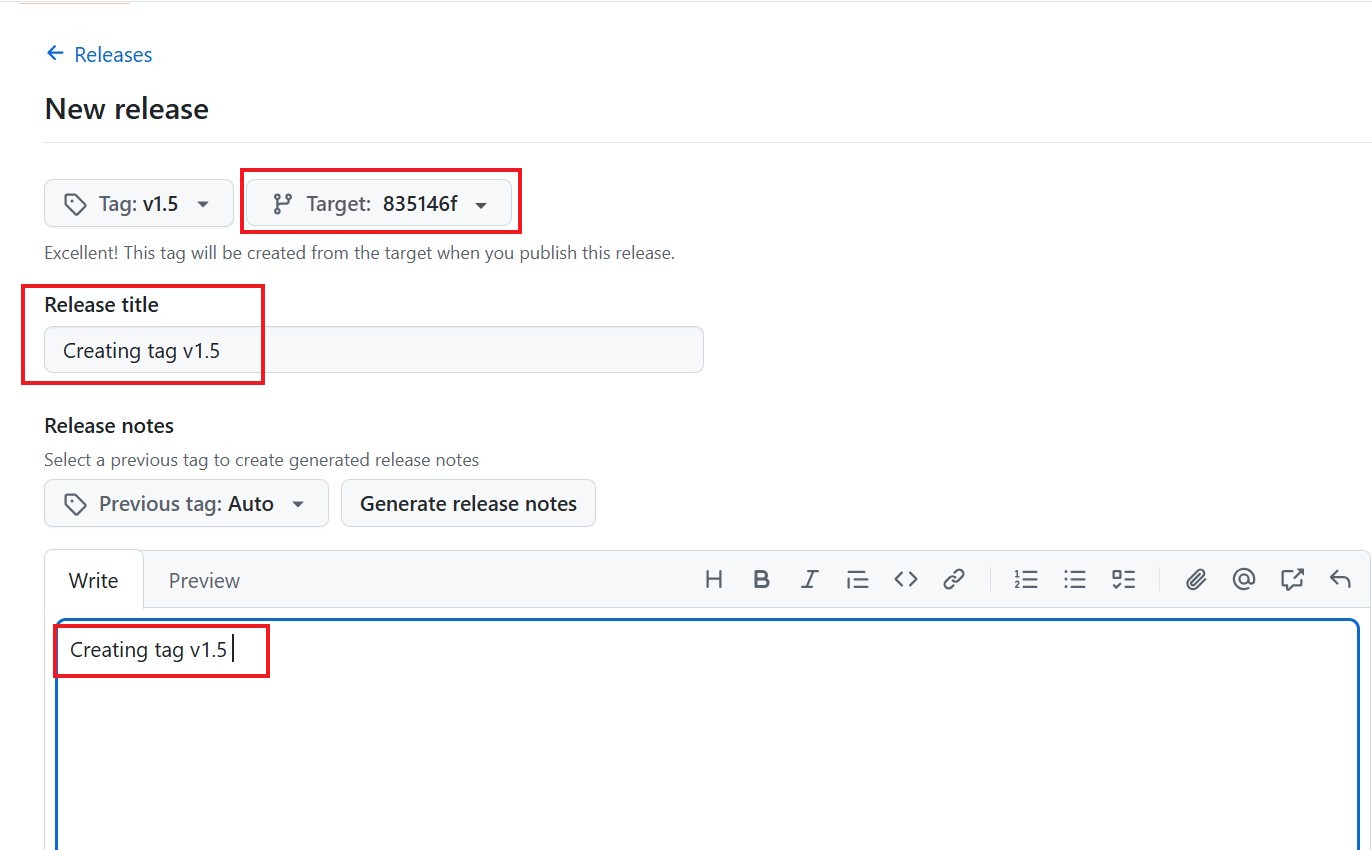
Once all done then come little bit down and click on Publish release as shown below.
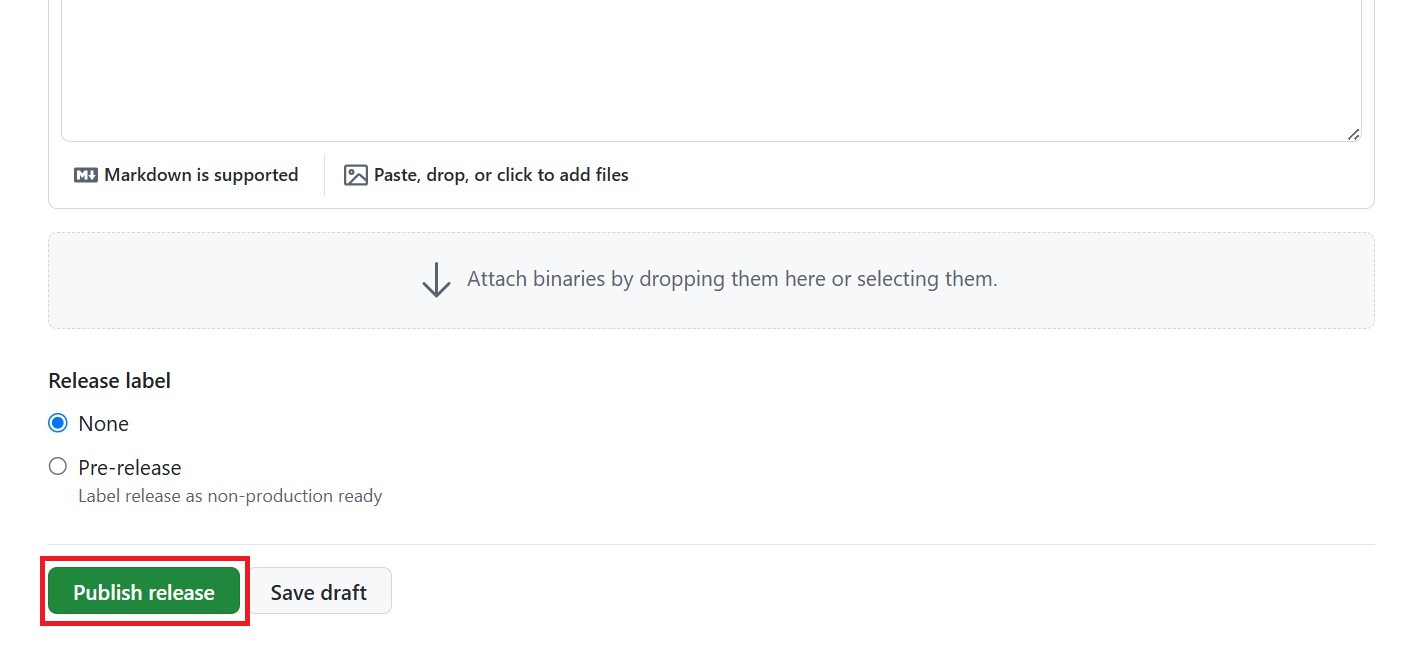
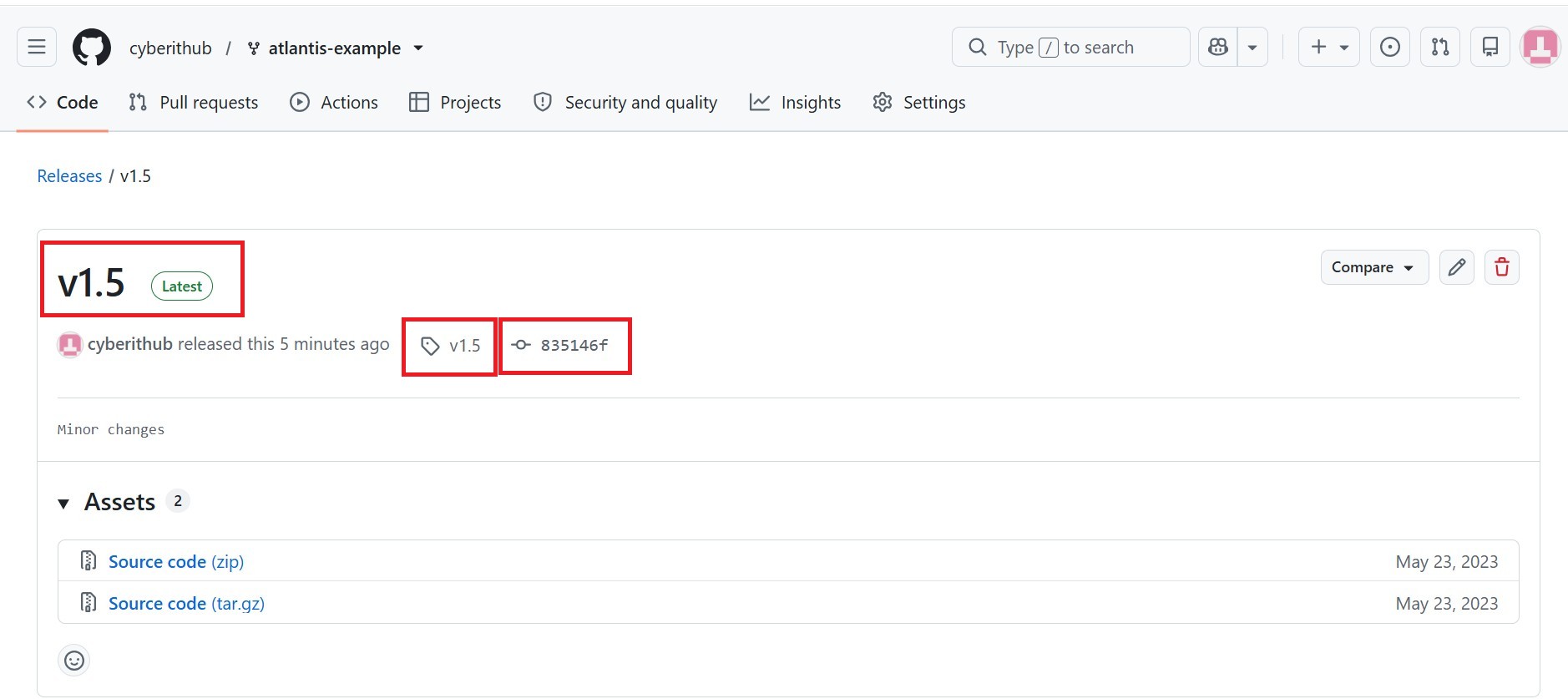
That's it. Your commit ID will be tagged as you can see below.