
Are you frustrated with the automatic system updates pushed by your Organization every now and then ? This is a very common problem faced by many IT professionals daily in their work place. Organization forced system restarts during office hours not only causes distress due to interruption in performing critical client work but also causing productivity loss to the clients. I have been facing this problem since day 1 on my day to day job. While it is important for Organizations to keep employees system updated with the latest patches and fixes to prevent any intrusion or vulnerability exploitation by the attackers but performing updates during office hours can sometimes be very harming to employees.
How to prevent Organization forced system restarts on Windows and macOS
Also Read: Solved "Token can not be verified: Full authentication is required to access this resource"
Before going any further, lets understand the nature of problem clearly. So, usually organization schedules system updates to be pushed to Windows or MacOS based systems at some certain times during a day or a week depending on the company policy and latest detected threats. Most of the organization chooses to push updates during night as per the local time zone or during off office hours so that impact on employees work can be reduced.
But sometimes it so happens that due to some unavoidable circumstances or due to some reason updates does not go through at the scheduled time. This prompt the organization to send reminders to employee system to manually install the updates by choosing to install at an appropriate time. After giving reminders few times, organization will try to forcefully pushed the update in employee system during any time in a day. This is where the problem occurs.
An employee performing their day to day job might be busy sometimes to perform these activities. This can become very inconvenient if an employee is on some critical client call and suddenly system gets shutdown for installing the updates. This becomes more concerning when update size is in several MBs or sometimes in GB as it will take more time to complete the entire update process. By the time system update gets completed, a client call of 30 to 45 mins might get ended and then it will result in an unnecessary escalation from client end.
Today in a highly competitive market where work has been influenced by the usage of Gen AI, it is very hard for service based companies to keep up with the rapidly changing market. Incident like this only fuels the raze of client as they won't hesitate to switch partner or vendor due to these type of every now and then obstruction. As it is widely known, clients only worries about their business outcomes and care less about all these problems. So it can be easily understand from this fact that a meagre problem of organization forced system restarts could cause an uninvited large problem to deal with.
Keeping all this in mind, I thought to share a small solution to all my fellow IT professionals working on multiple organization across the globe. Whenever you have this type of situation arising in your day to day job, you can quickly do few things to deal with this problem. You can rely on the help of few software's which we use almost very frequently. For example, Microsoft Office suite tools like MS word, MS excel, MS PowerPoint etc. You might have noticed that whenever system goes for a restart, if any of these tools opened in your system, it will ask you to save your work if not saved. The moment you click on save then only system restart would proceed. But if you do not do anything then restart operation would not proceed as expected. It will get interrupted. It's a very small thing that we do not notice immediately but it is worth noticing.
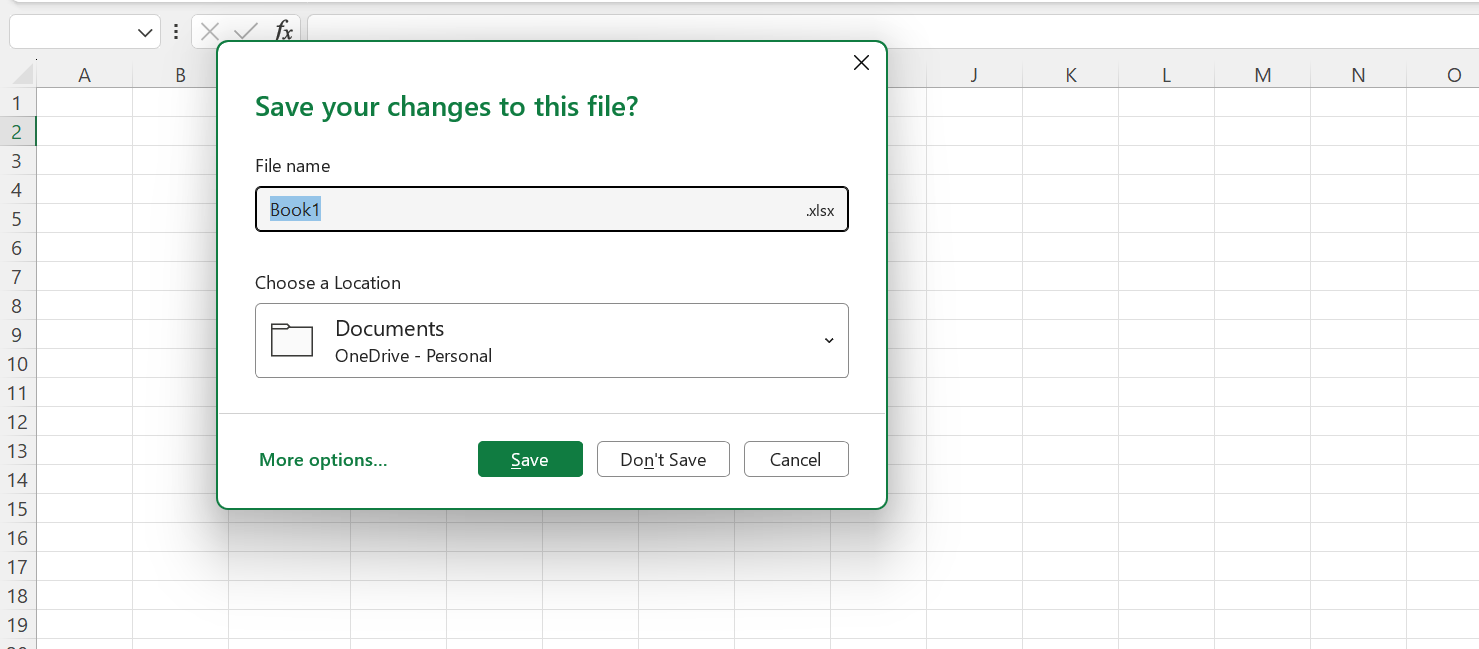
Not only MS Office tools but there are so many tools that we uses daily which can interrupt the forceful restart of our system. For example, Cisco VPN client software is another very frequently used tool that can interrupt the forceful restart of a system. We only have to make sure not to close those applications when asked by the system. This will fail the regular updates to go through immediately. Later on, once you are free or when your work is done, you can close all the applications and manually perform the restart as asked by your organization as by then it will be clear that now you have to comply with the company policy.
Hope this small yet very effective step proves useful to you. Please try this step for the next time and see if it helps you. Please let me know about the same in comment box. If you also have any suggestions regarding this, please feel free to share with us all.